Printiq
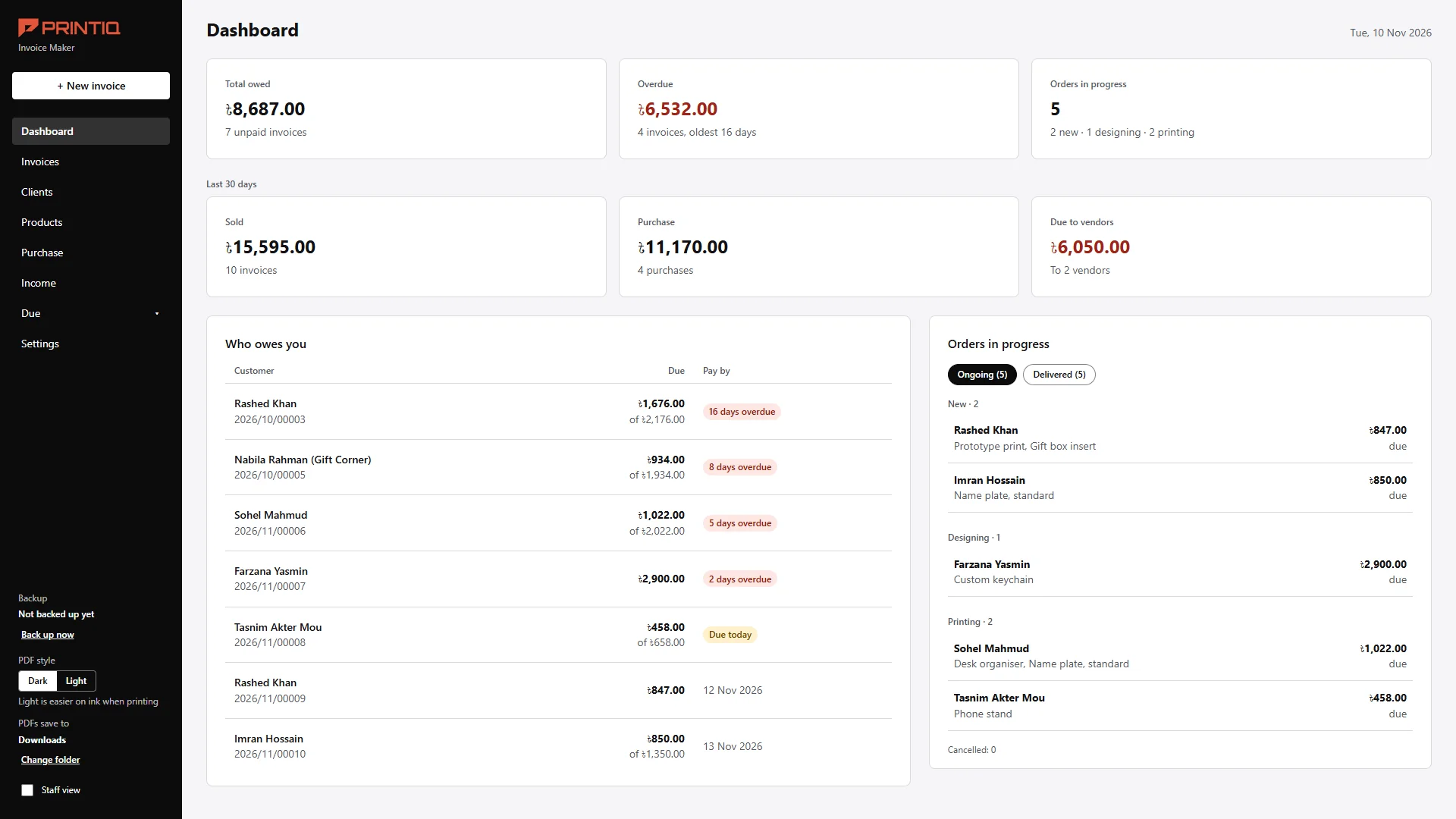
An invoice tool for a 3D-printing shop in Dhaka, built around one question: who owes money.
- Client
- PRINTIQ, a small 3D-printing shop in Bangladesh
- My role
- UX, UI and build
- Built
- Windows desktop app, in HTML, CSS and JavaScript
- Status
- Delivered, November 2026
The brief
The owner built his own invoice app with AI. It worked. But orders came by Messenger and WhatsApp, he made 50 to 100 invoices a month, and who owed him money lived in a notebook.
So the brief became one question: who owes me, and how late?
What I built
Four calls, each made with the owner, each with a reason.
One screen, one question
The first screen shows who owes money and how late. Not every number at once.
Delivery is not income
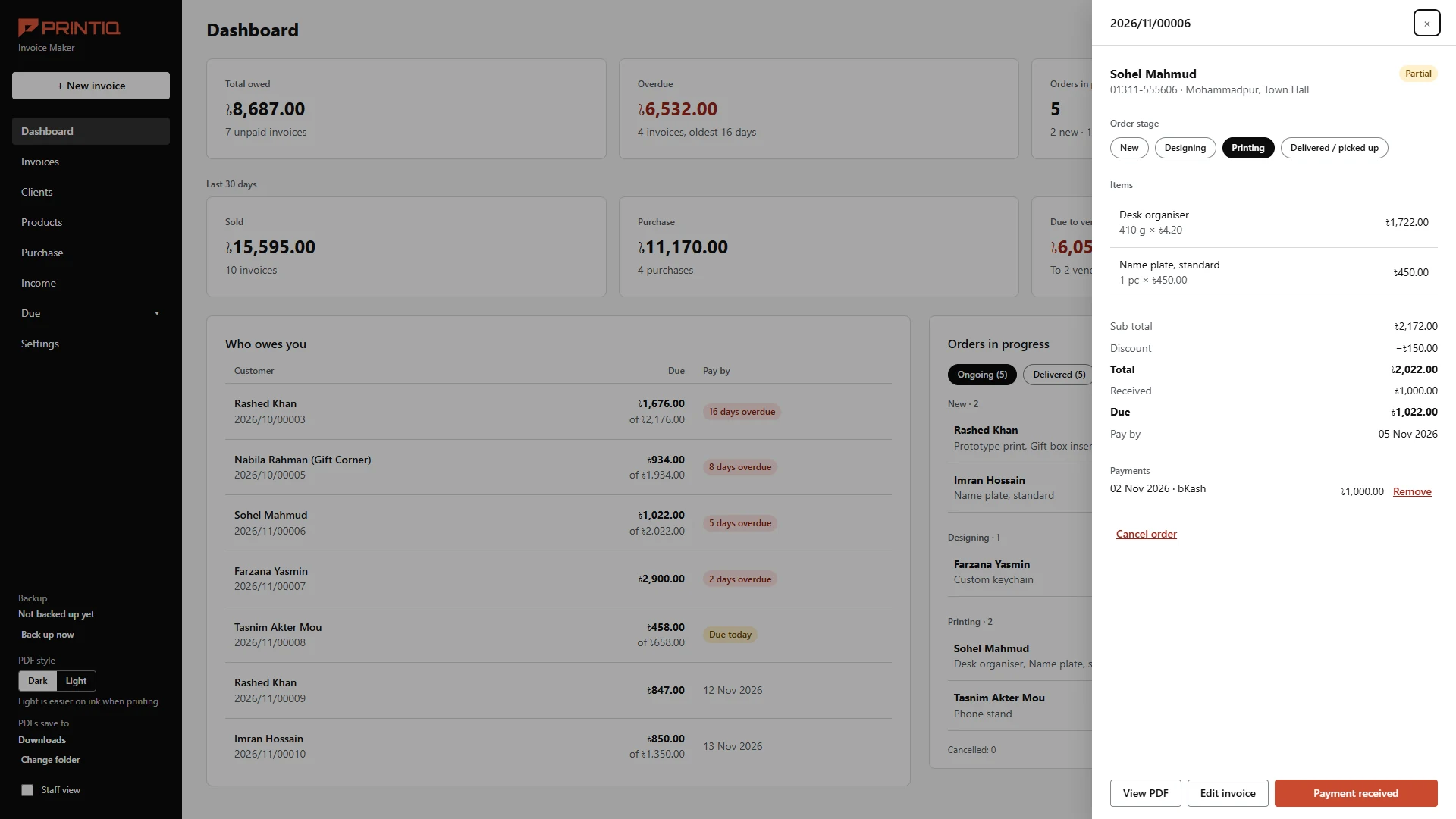
The owner's rule. Delivery stays on the invoice and is still owed, but it is left out of total sold, and the page says so.
Simple money pages
Income shows total sold, total purchase and the difference. No graphs. Staff never see Income, Purchase or Due.
A PDF as long as it needs
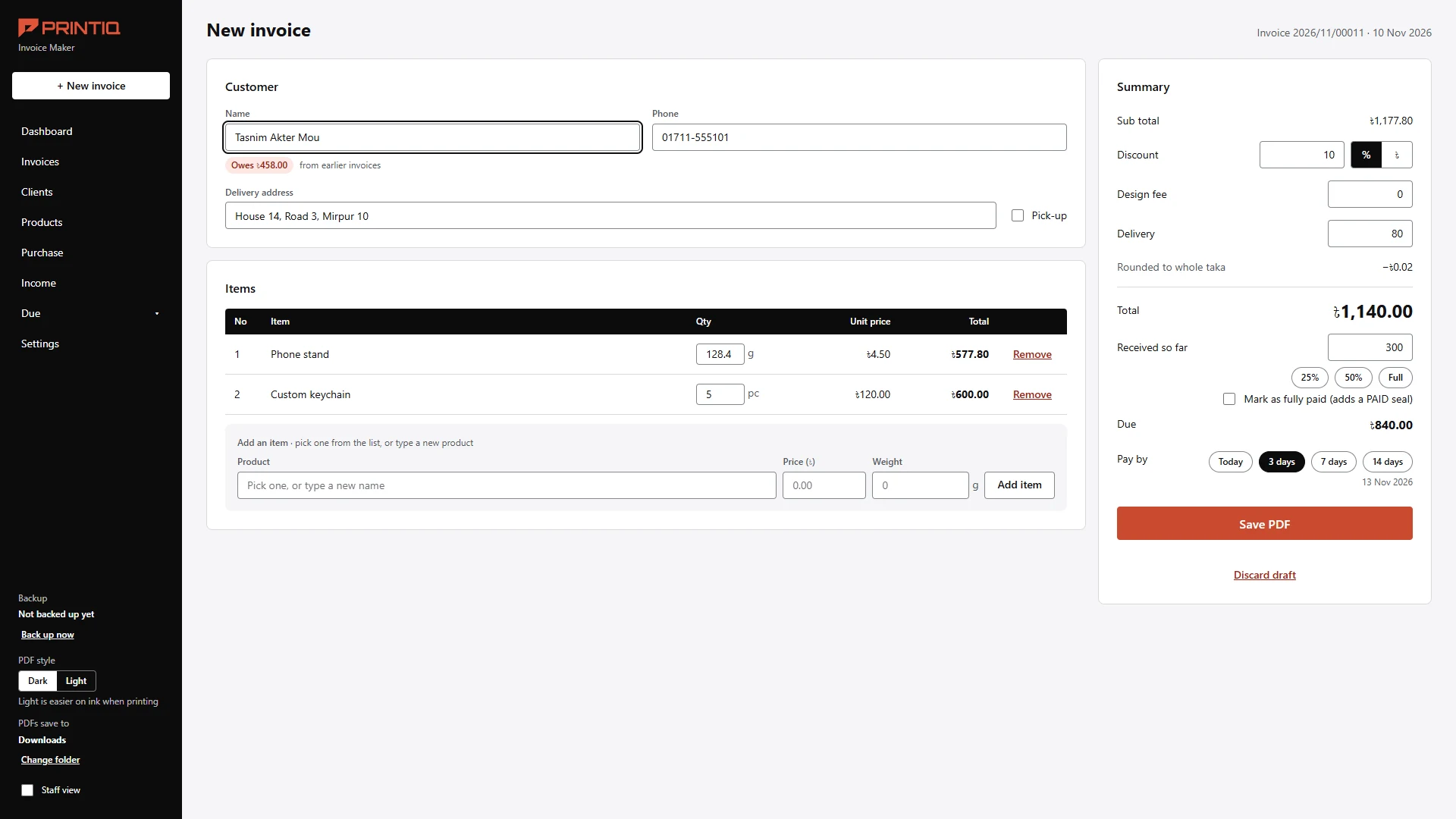
Rows carry to the next A4 page instead of being squeezed onto one.
The real problem
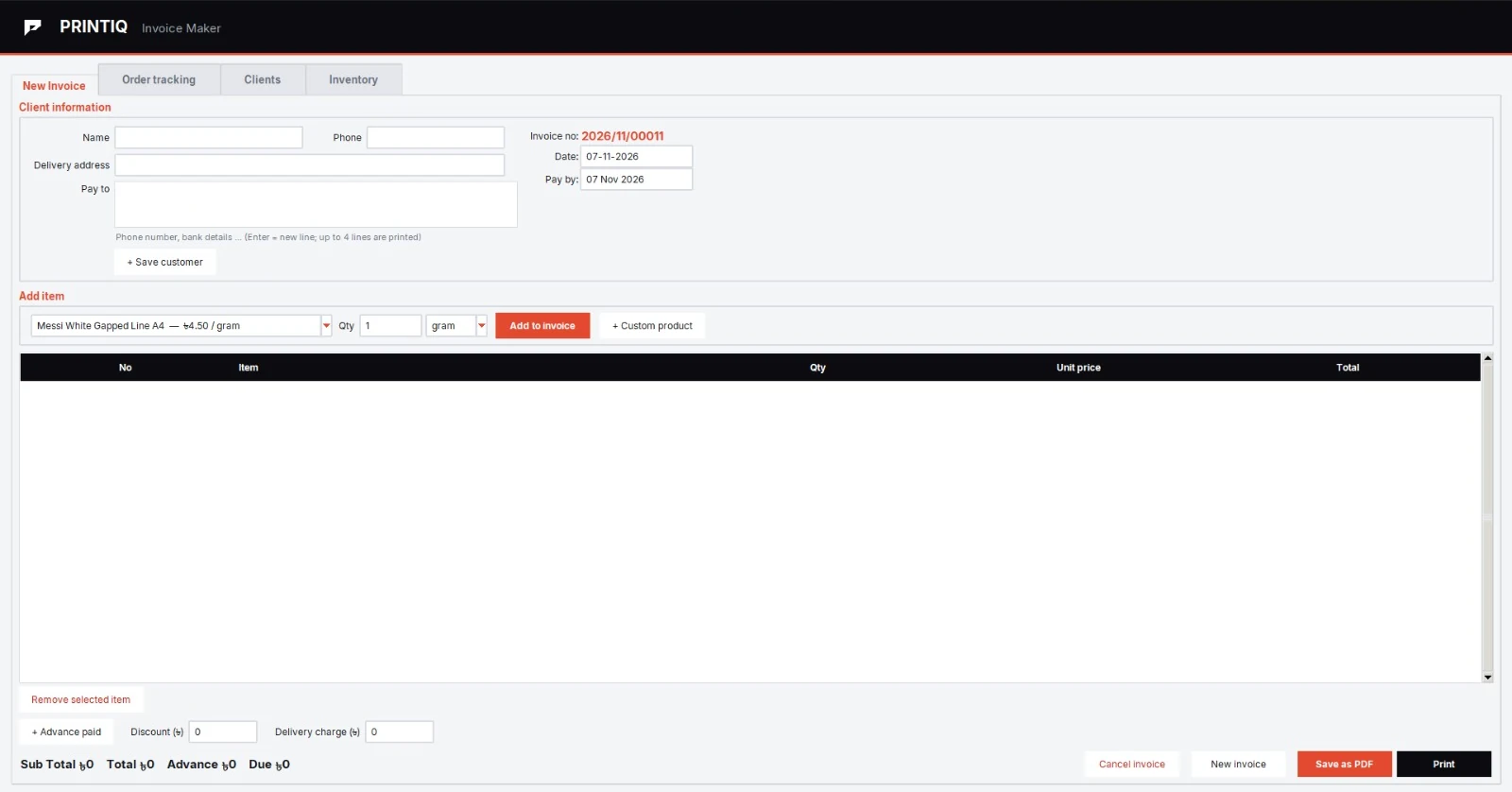
The old app was a long form with small labels and a big empty table. Its PDF header split mid-word: “INVO-ICE”. And it priced by the gram, when his real prices are per gram, per hour, or fixed per item.
His dashboard was the deeper problem. Nothing on it answered the one question he asked every day.
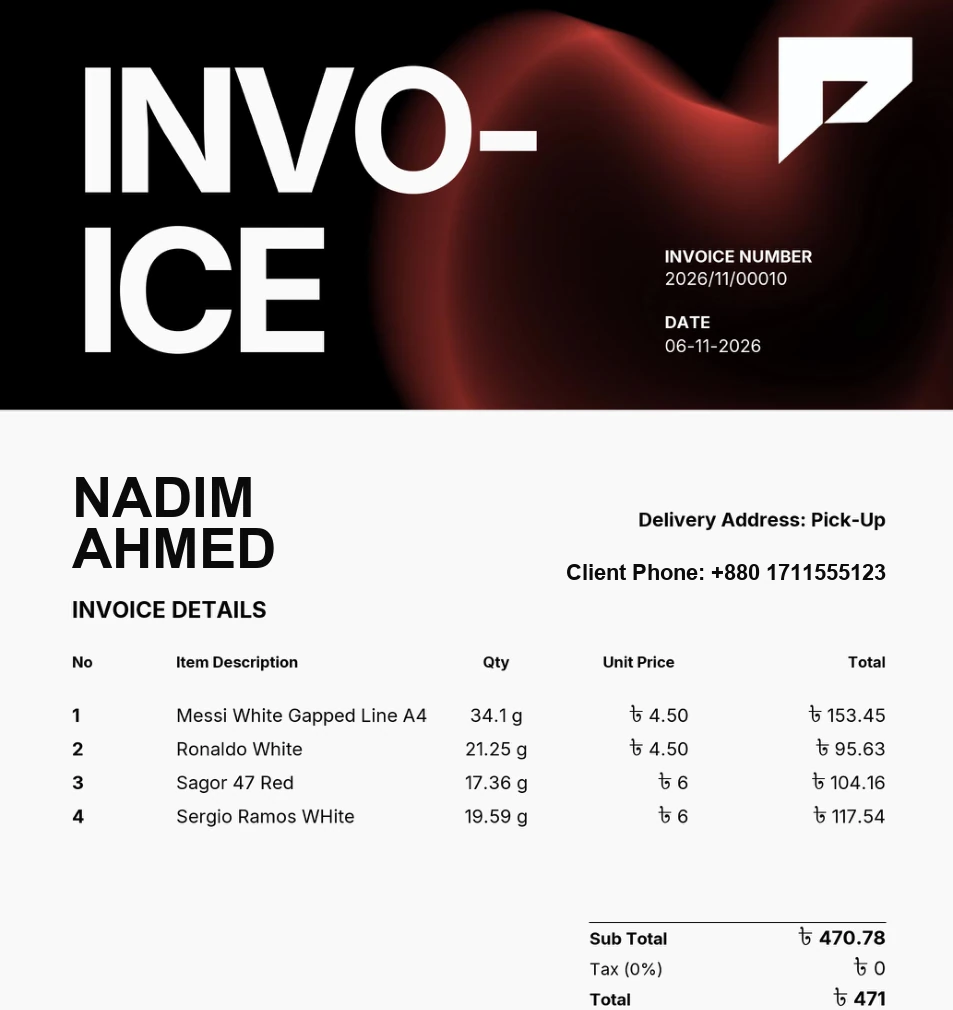
What I rejected
My own clean white PDF. He called it “very bad”. The black page came back, in his own terracotta, taken from his logo. I did not defend my version.
I also left out net profit, tax and other costs, and graphs. His first dashboard felt plain and busy, and my first Income page was too busy for him. Each time I cut it back.
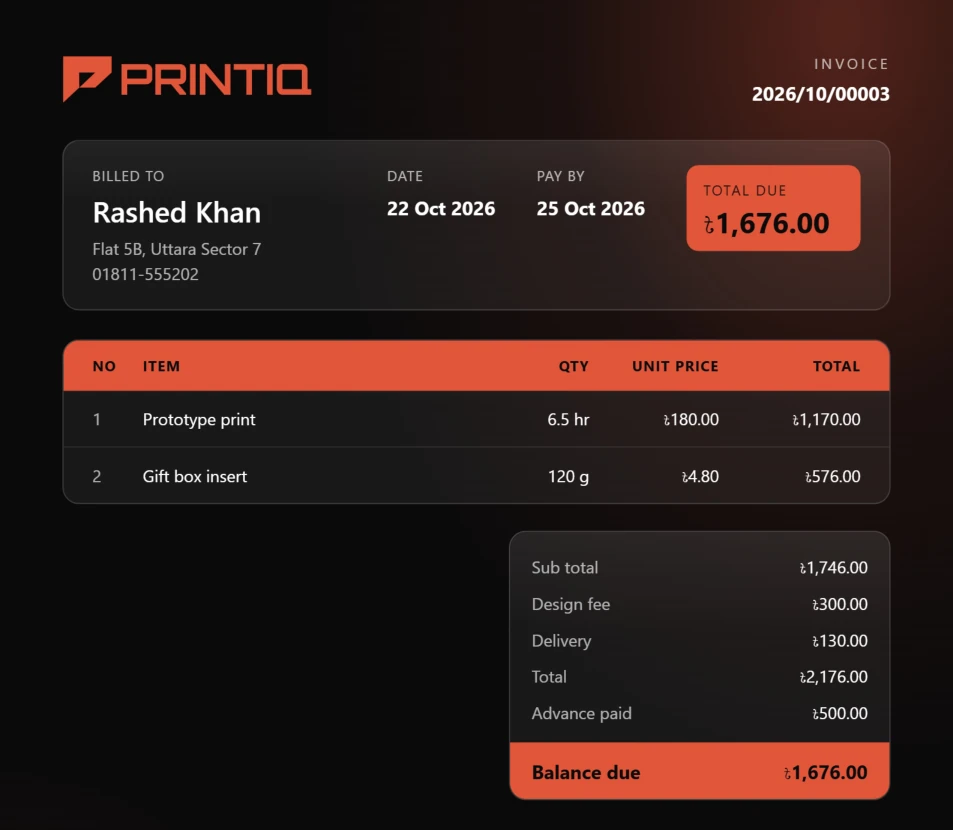
The black PDF he asked for, in his terracotta.
Outcome
“This system has made my business tracking easier. I can see at a glance about the sales and purchases and easily create invoices. If i needed any changes i had to make a new pdf earlier. It has made that process easier.”
An A4 PDF saves in one click. The owner tested the app over several rounds and liked the demo. I make no time-saved claim: there is no stopwatch baseline.
My first PDF had a one-page limit. His old invoice ran two pages at 24 items, so my limit blocked him. I changed it so rows carry to the next A4 page.